
Starlink on the Road
I have now used Starlink in the US for several months. Working on the road with the Gen 3 residential dish installed on an RV works fantastically, even while driving. Video conferencing, email, browsing, YouTube, RDP and SSH were all tested and mostly worked flawlessly.
Read on for the details, but my overall verdict is not cheap, but good value.
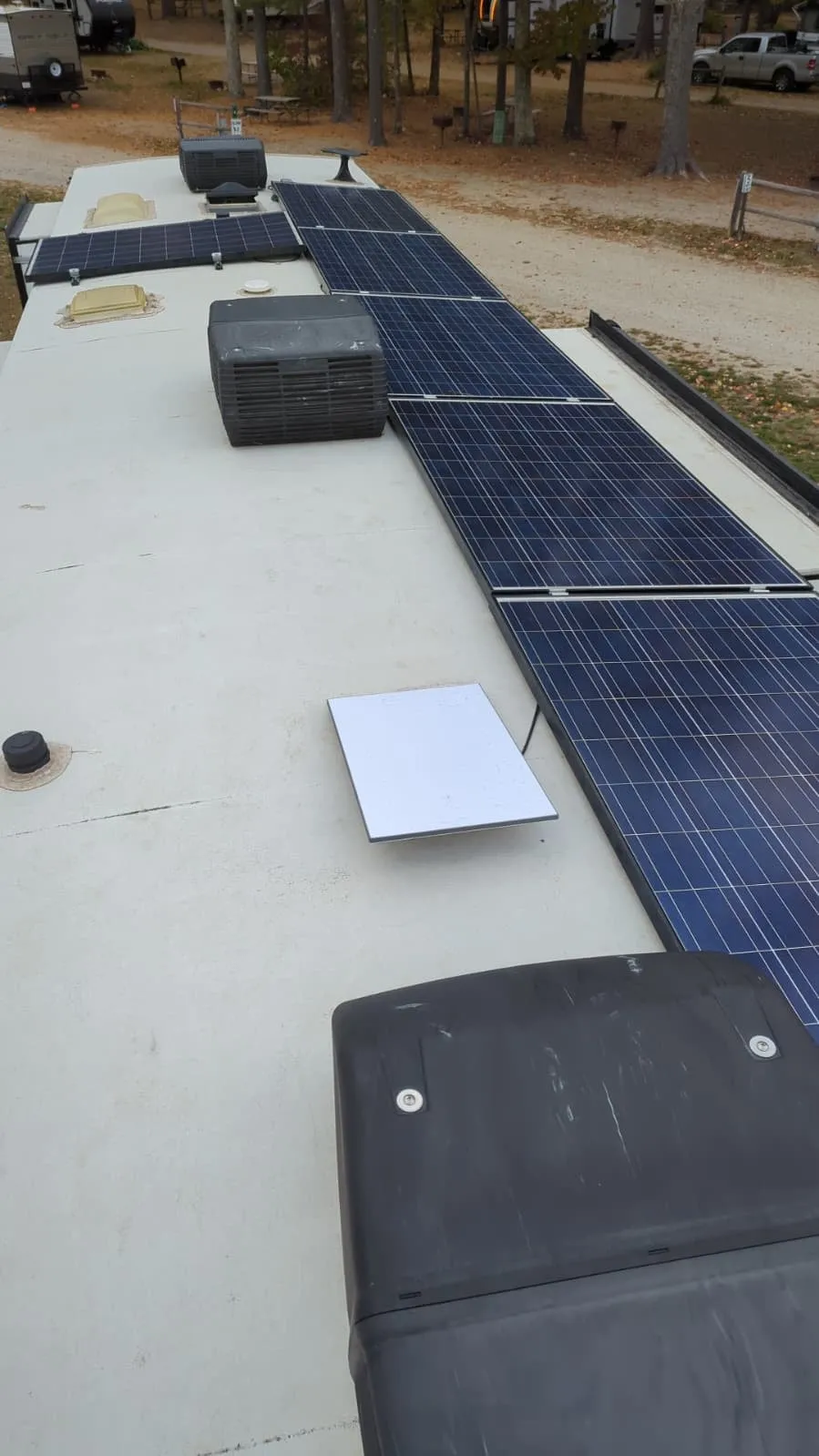 The Gen 3 residential dish mounted on the RV roof.
Update, September 2026
The “Gen 4” kits. Starlink now sells the residential kit as Standard 4 and Standard 4X. Despite the name, the dish is the same one covered here: what most people call Gen 3 is technically the V4 dish, and the new names follow that designation. The differences are in the box around it:
- Standard 4X is the old kit renamed: the same dish with the tri-band Gen 3 router (now “Router 3”), which still powers the dish over its cable.
- Standard 4 pairs the dish with the smaller dual-band Router Mini, which has shorter Wi-Fi range and covers roughly half the area of the Router 3. A new power supply with two ports powers the dish and the router separately, so the dish no longer depends on the router for power. That PoE is Starlink’s own, not standard 802.3af/at/bt, so don’t count on it to power third-party gear.
I haven’t tried a Standard 4 kit. My Gen 3 keeps working just fine, and since the dish itself hasn’t changed there is little reason to swap.
The Router Mini’s shorter range matters on the road. The only reason I can use Starlink from the pickup cab is the range of the Router 3 (see Router Wi-Fi below), and even that is at the edge: judging by the link quality on a MacBook Air, whose metal body doesn’t help, the cab is about as far from the router in the RV basement as a usable connection reaches. With a Router Mini, plan on an external access point if you want Wi-Fi in the car.
The 300 GB roaming plan. In May 2026, Starlink added a Roam plan with 300 GB of high-speed data for about $80 a month. After the 300 GB you still get unlimited data at reduced speed, which is enough for email, messaging and calls. For working on the road, this is an awesome value: it sits between the 100 GB plan and Roam Unlimited, at less than half the price of unlimited.
Pricing
At $175 a month (roaming, no data cap; $165 until the May 2026 price increase) it certainly isn’t a cheap service. For a fixed installation, an optical (fiber) service is better in both performance and price, but as a backup Starlink could work. The roaming plans with a data allowance might be a better compromise while roaming temporarily: $55 a month for 100 GB (up from 50 GB in January 2026, and from $50 in May 2026), or $80 a month for 300 GB since May 2026. A priority subscription with a high-performance dish costs more for both hardware and service; I did not evaluate that.
In-motion use
The residential (Gen 3) dish is not designed for in-motion use, but it works wonderfully while moving. It keeps a reliable phone connection going in regions without cell coverage, which are quite common in the US.
Video conferencing at highway speeds is not an issue (as long as you are not the driver). For regular calls outside cell coverage, enable Wi-Fi calling on your phone; most carriers offer it.
A clear view of the sky matters just as much as when stationary. I did notice occasional short interruptions when the direction of travel changed.
App-only configuration
The app is very user-friendly, but site admins may sigh at the fact that configuration is app-only. It works on both Android and iOS and looks virtually the same on both. Understandably, router configuration changes can only be made while connected to the Starlink Wi-Fi network.
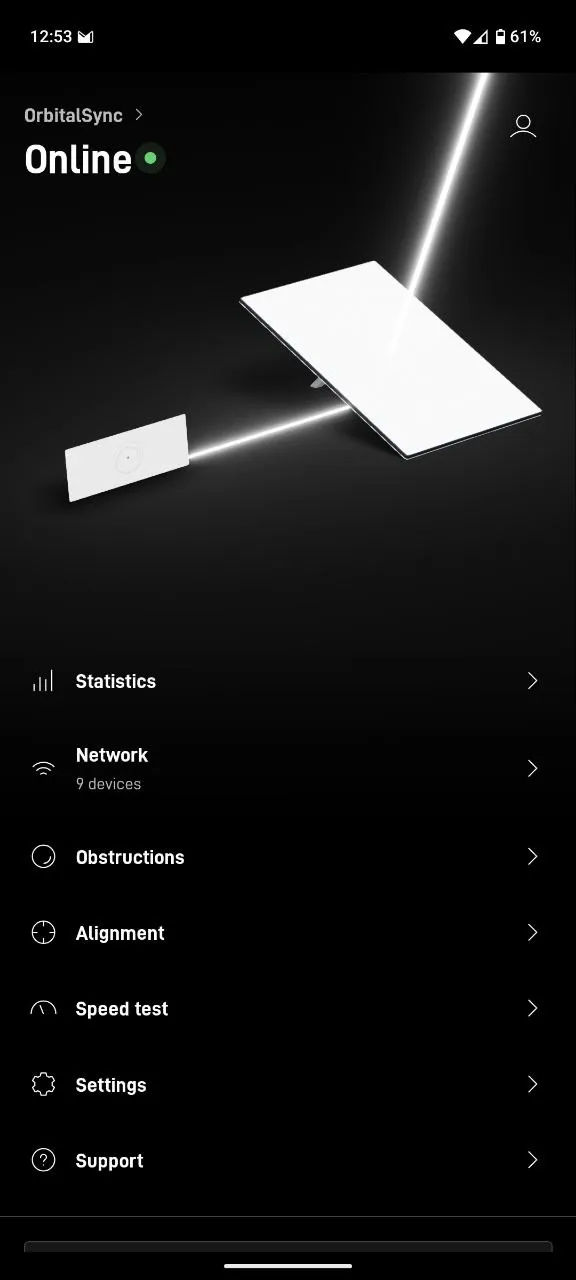 The Starlink app home screen.
Alignment
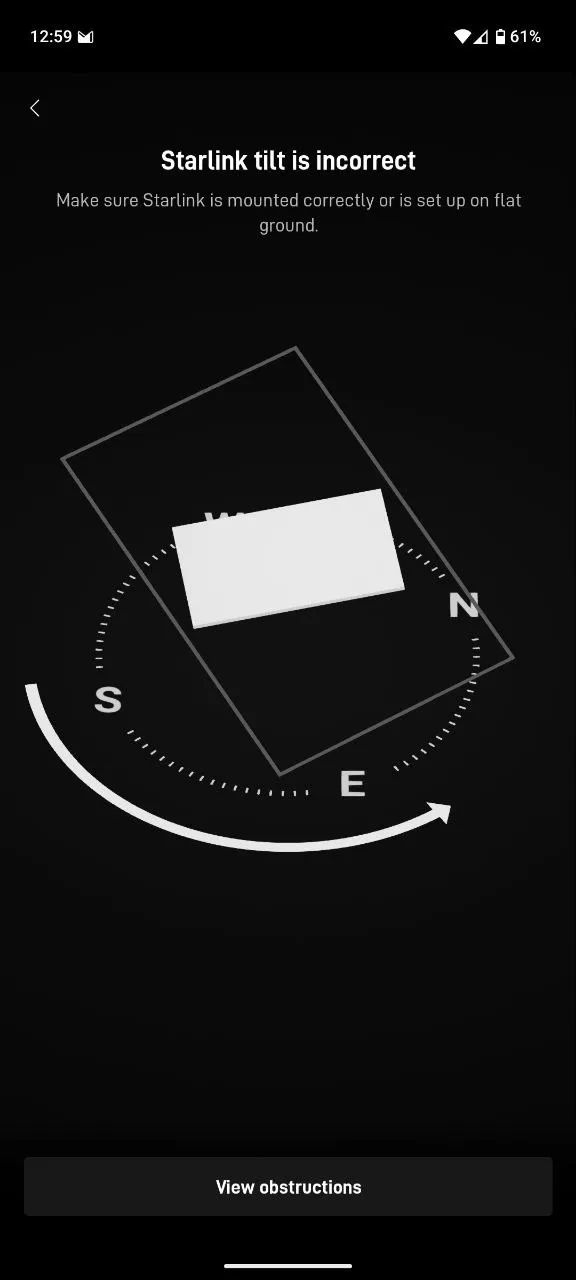 Incorrect alignment hardly matters.
The app is adamant about the alignment being set correctly, but I usually don’t bother realigning the dish to spec.
The antenna seems to have a built-in orientation sensor, since the alignment updates near-instantly in the app.
Foliage and latency
Starlink works especially well when there are no obstructions in its way. Even light foliage shows up as an obstruction in the app and affects interactive services. With medium obstructions, non-interactive services still work reasonably well (YouTube or buffered TV, email, browsing), but you’ll start noticing issues with video calls and remote-desktop sessions.
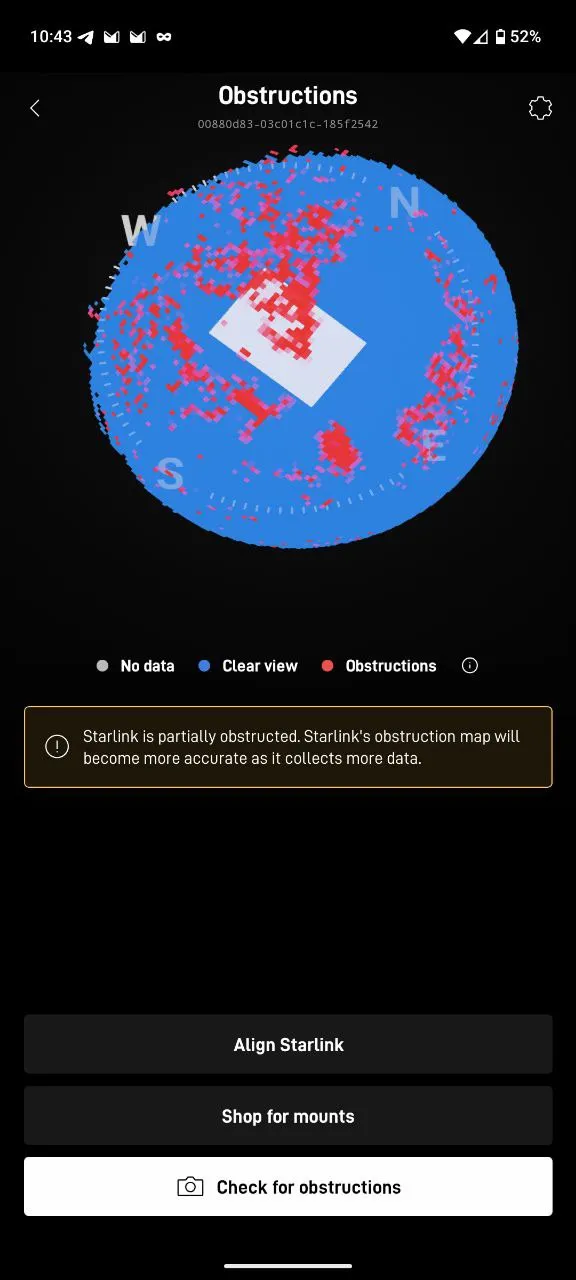 Medium coverage.
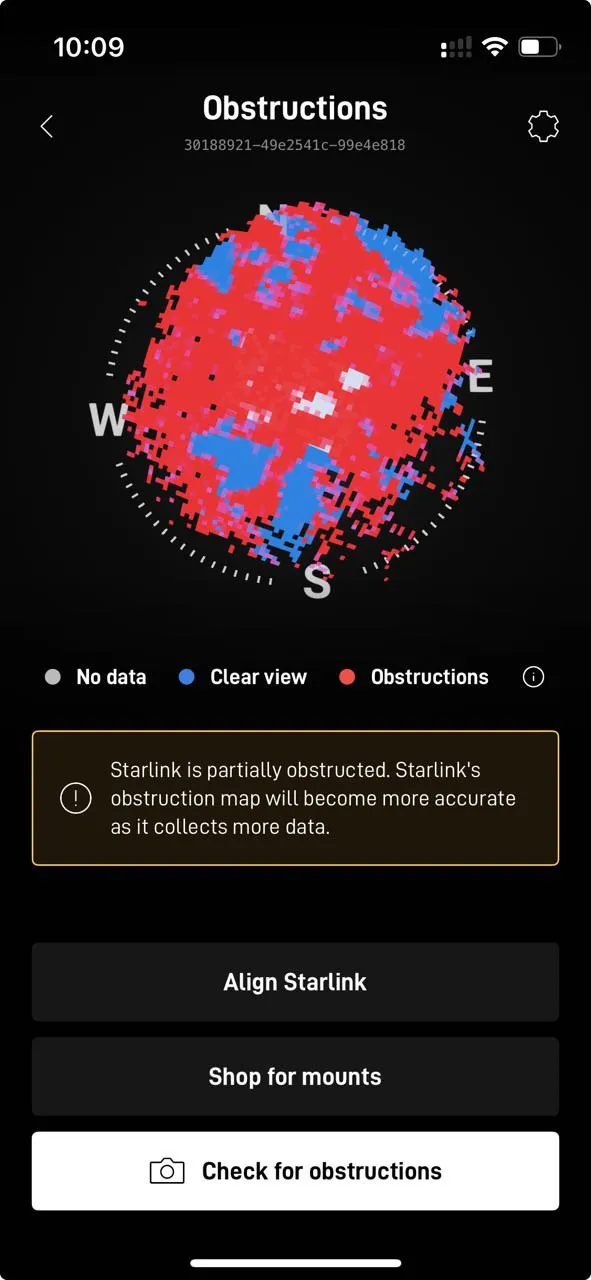 Tall trees with heavy foliage (iOS app).
Under tall trees with only a partial direct view of the sky, the connection is good for a few seconds, then drops for 4–15 seconds until the next satellite comes into view. Starlink is reasonably good at reacquiring a lost signal.
Starlink is increasingly popular among RVers, for good reason, but even on crowded campgrounds I have not noticed overloaded service areas where a priority plan with the more expensive high-performance dish would have helped. That could of course change as Starlink becomes more popular.
The app has a built-in speed test that reflects real-world performance. The two benchmarks below were run back-to-back with the alignment off by more than 90°, as in the alignment screenshot above.
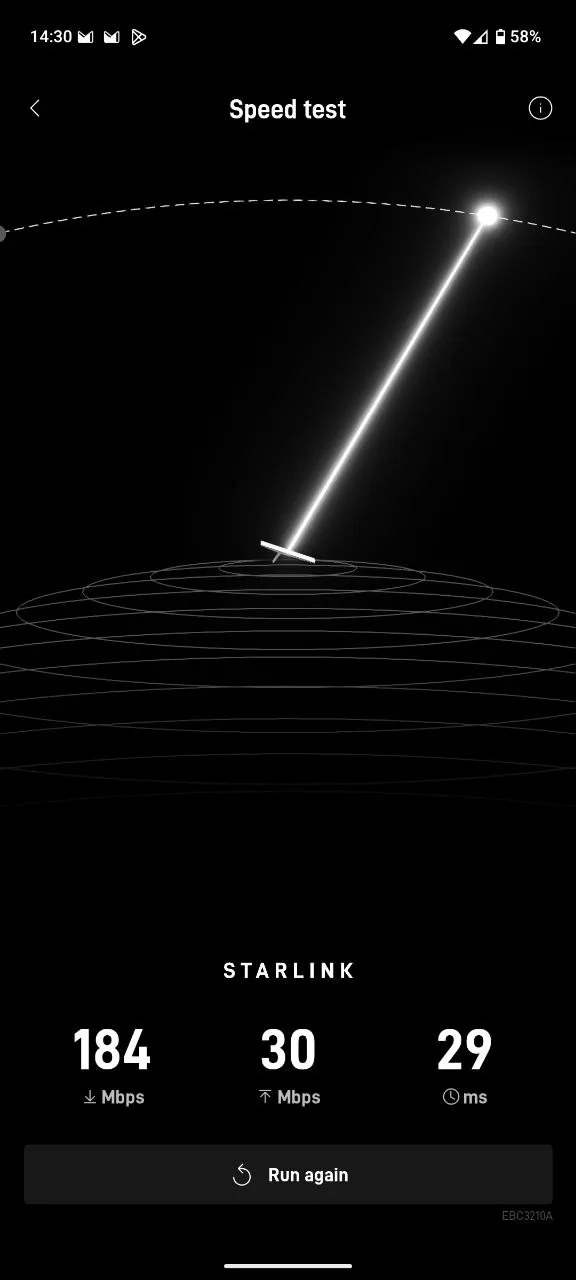 Built-in speed test.
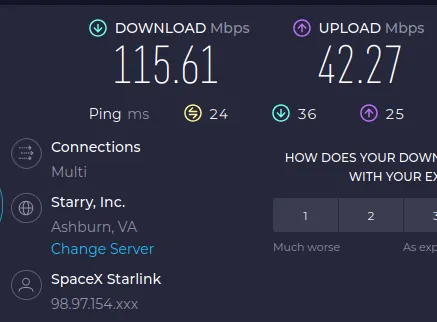 Speedtest.net benchmark results.
Power consumption
Expect about 30–50 W of power consumption, measured on AC. Power draw seems slightly higher in rainy weather. It can draw up to 200 W when melting snow, or attempting to: with heavy foliage I have seen the dish in snow-melt mode despite temperatures clearly above freezing (around 60 °F / 15 °C). I have been happy on 110 V AC, but third-party 12 V power supplies are available if efficiency matters to you. In that case, also consider the smaller portable dish with the built-in router.
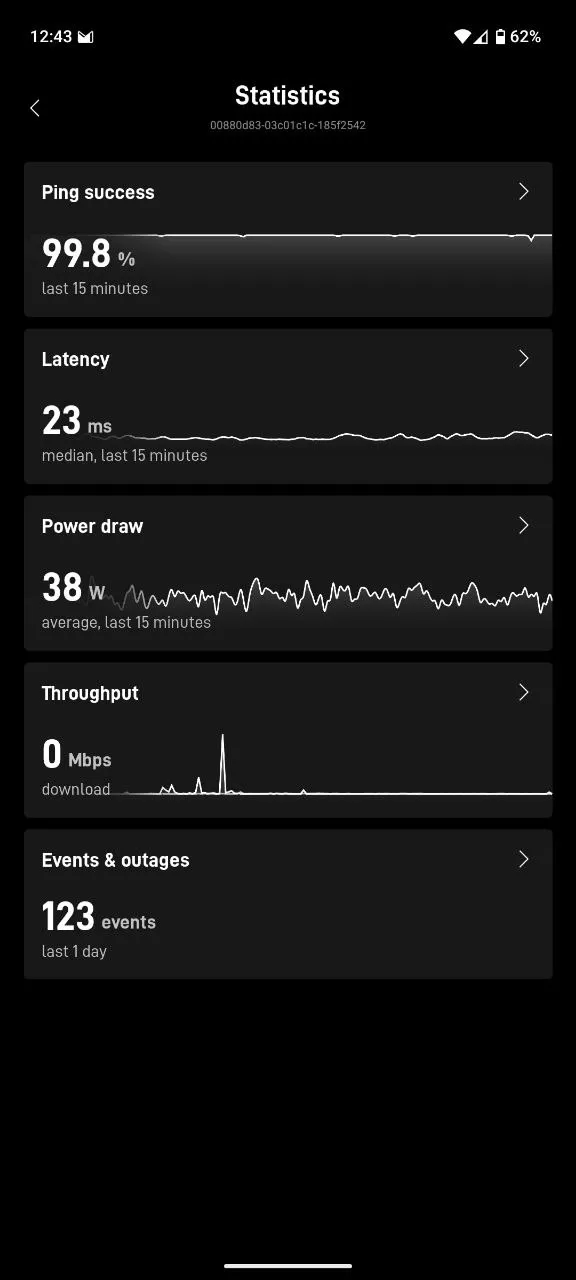 Starlink statistics in the app.
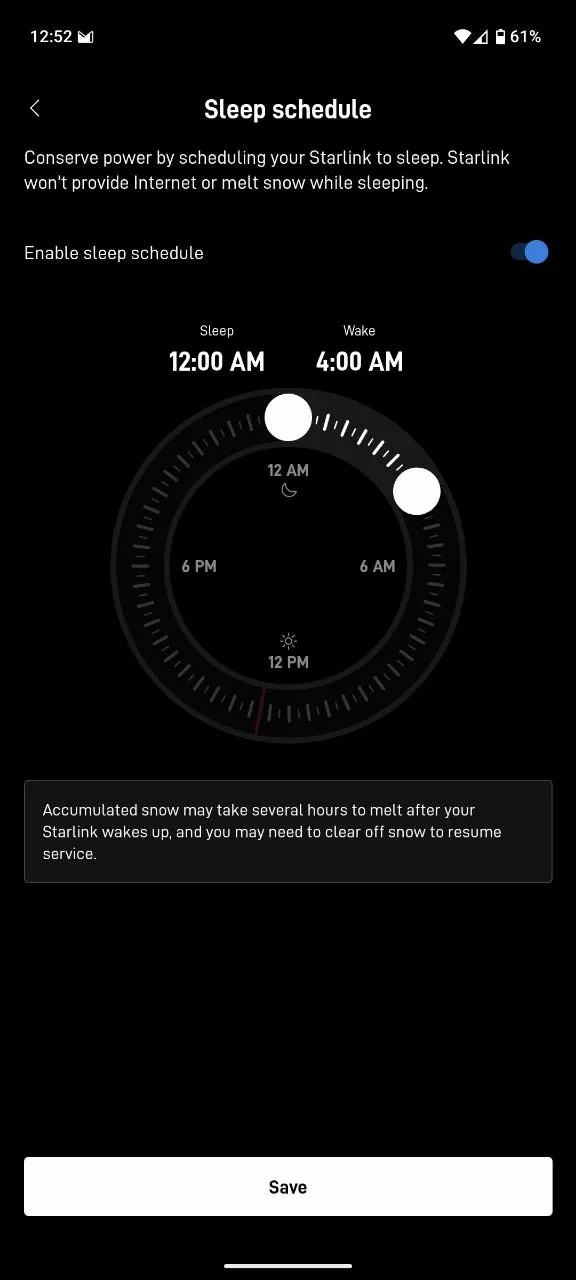 Starlink on a sleep schedule.
The antenna is powered over PoE by the router. I use a third-party adapter on the dish side, with a 50 ft Cat6 cable between the router and the dish that came in a UV-resistant, harsh-environment sleeve.
I’m disappointed with the quality of the “waterproof” RJ45 adapter on the dish side, but it hasn’t mattered much: it’s stowed away under the dish and doesn’t seem to have gotten wet, whether in heavy rain at highway speeds or parked. At highway speeds it is somewhat shielded from the front by the AC cover, as the photo at the top shows.
Router Wi-Fi
The Starlink router has no external antennas but performs really well for wireless clients within a 40 ft radius. Mine sits in the RV basement, not exactly an ideal spot for an unobstructed Wi-Fi signal, but it doesn’t seem to matter: several devices can use it comfortably at the same time, even from the pickup cab. Vehicles following the RV at a regular (safe) distance don’t get a reliable connection, though. For that, a rear-facing Wi-Fi router would have to be placed at the back of the RV.
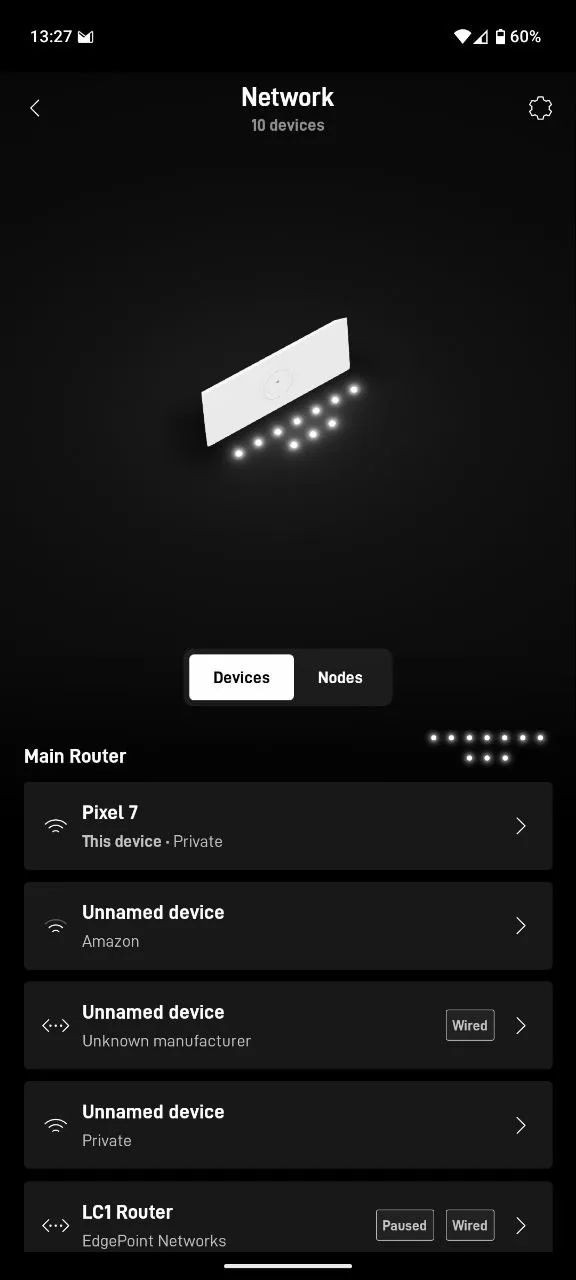 Connected devices in the app.
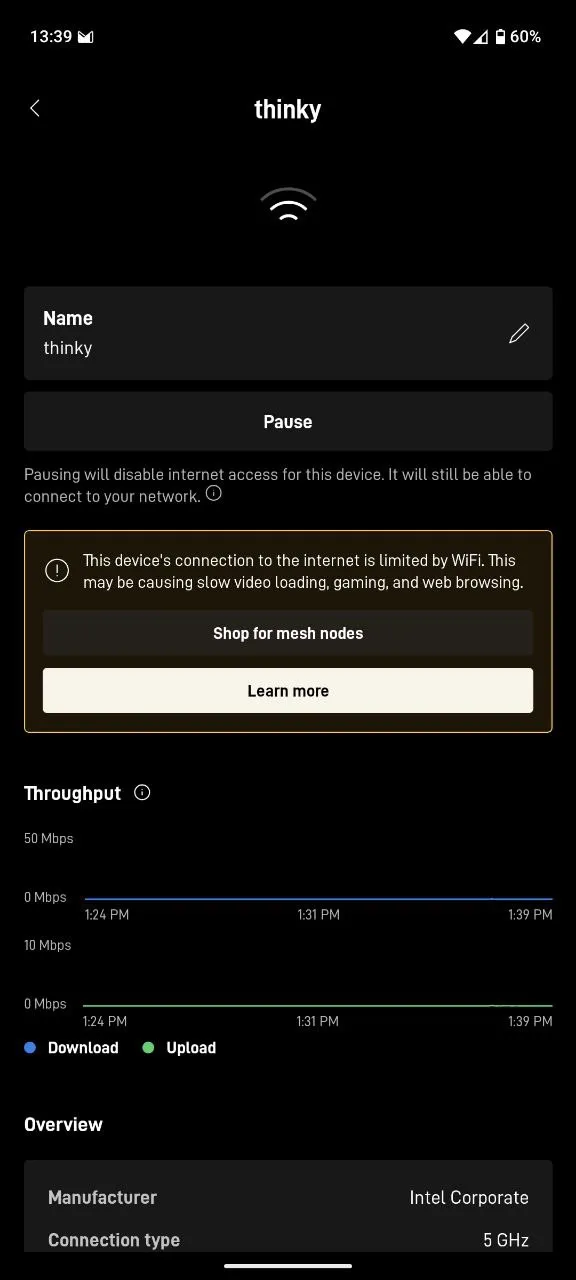 Detail view of a device, with IP, MAC, RSSI, SNR and more.
Individual devices can be blocked from the internet by pausing them, a most welcome feature for keeping noisy devices like smart TVs from wasting bandwidth on a data-limited plan.
Infrastructure integration
This section is for site admins; casual readers can skip it.
So far, Starlink can only be configured from the Android or iOS app. There is no browser interface on the router, but you can bypass the Starlink router completely if you want or, as in my case, just set custom DNS servers.
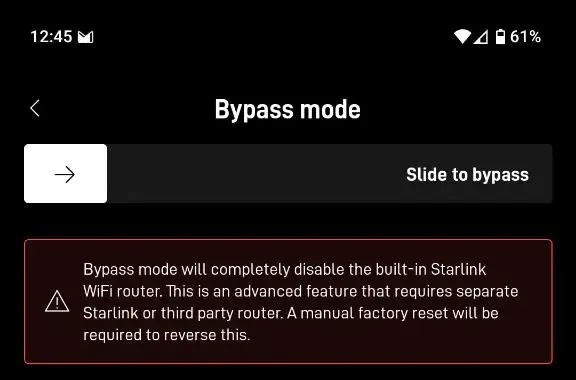 Starlink router bypass.
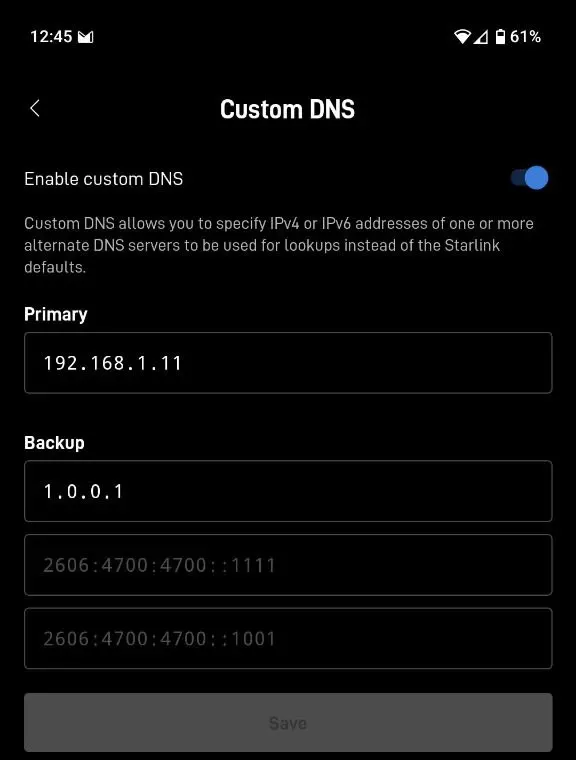 Custom DNS.
When you set a custom DNS, all DNS queries come from the Starlink router. So don’t expect per-client DNS configuration, as would be possible if the router handed out the DNS servers in its DHCP ACK.
The router runs stably and has a good set of standard features, but any advanced setup will likely benefit from an external router. The built-in 1 Gbit/s switch also has only two LAN ports (not counting the dish port).
Intra-LAN traffic
As a rule of thumb, keep service nodes (servers) on wired connections to the Starlink router.
Traffic between clients on the LAN only seems to work reliably between one wired and one wireless client, and possibly between wireless clients connected on the same band (2.4 GHz or 5 GHz) with similar link speeds. I haven’t tested this conclusively, but I noticed that sometimes it works, sometimes it doesn’t, and the pattern is a mismatch in how the two clients are connected. For instance, a connection between one client on a slower link (432 Mb/s, 5.8 GHz) and one on a faster link (1080 Mb/s, 5.2 GHz) did not work, although both could ping the router. The hostname resolved, but the ARP entry stayed incomplete.
Public IP address changes with location
When roaming, expect your public IP address to reflect your physical location. As you move, the public IP changes, causing a short outage until your devices have reset their connections. While stationary, the IP stays the same, but it may change when the antenna reboots or occasionally.
For the curious: Starlink is also IPv6-enabled.
Shipping and second-hand hardware
My Starlink was ordered new and arrived within a few days, even a few days earlier than the date confirmed on the order page.
You can also buy hardware second-hand, sometimes cheaper; Facebook Marketplace has deals. But remember that activating hardware imported from another country zone will cost you more than new, and that older hardware generations will not perform as well as the newest.
Dish types
This review only covers the unmotorized third-generation dish, which has a 110° field-of-view cone (55° in every direction from perpendicular to its surface). Older hardware lists only 100°. The high-performance variants have a slightly wider field of view, 140°.
RV install
If you want to give Starlink a shot on a trailer, my Starlink install notes on GitHub may come in handy.